Back to work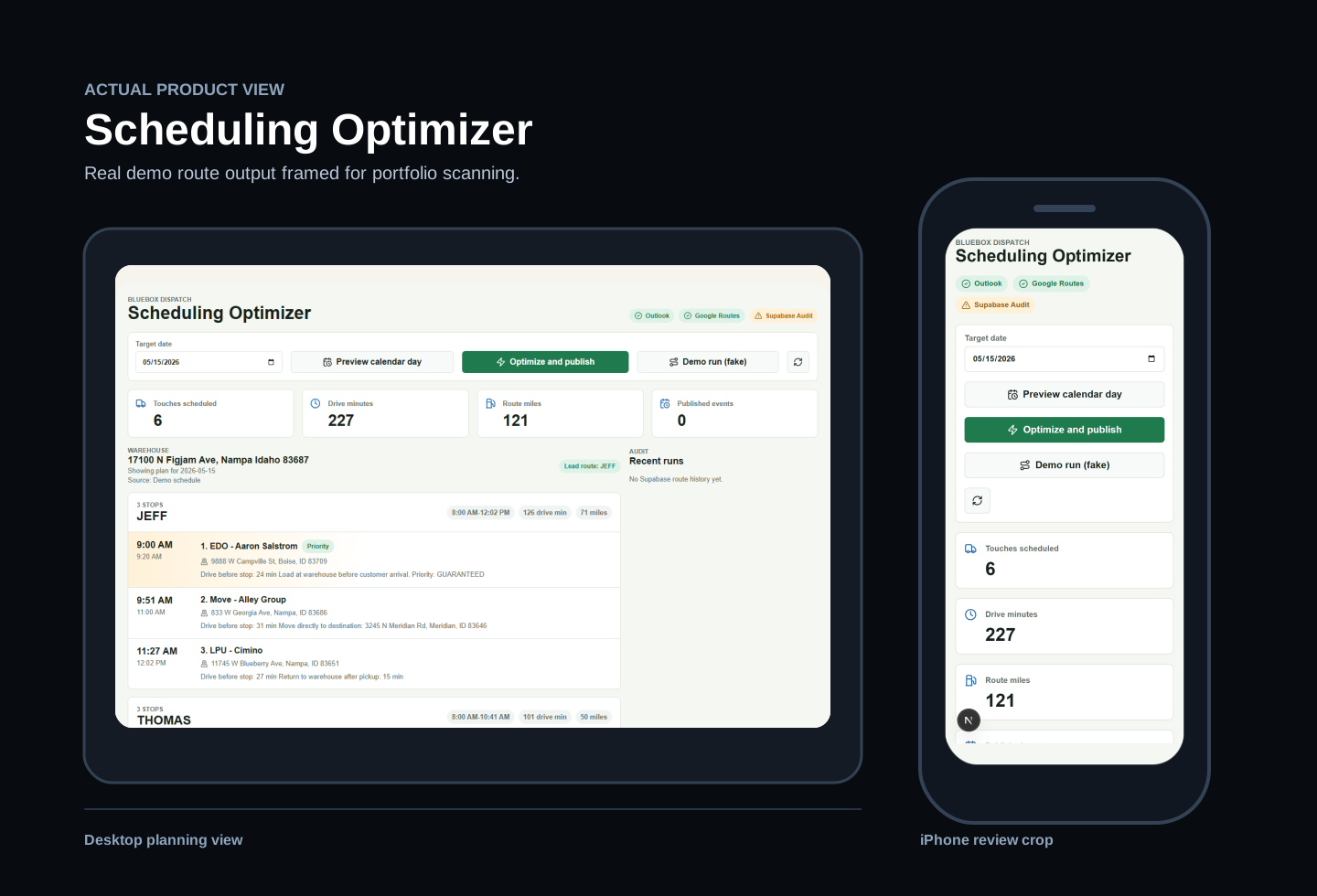
BlueBox Dispatch
Production delivery optimizer saving 1–2 hours every day.
A dispatch planning tool that turns calendar events into cleaner, safer, more fuel-efficient next-day routes.
AutomationDispatchGoogle Maps PlatformGoogle RoutesEmployee ToolReliability
Daily time saved
1–2 hours
Daily scheduling time removed while preserving employee control over exceptions.
My role
Product strategy, Google routing integration, employee workflow design, reliability controls, UIX
System state
Live employee scheduling system
What I built
A dispatch planning workflow that helps the team organize routes faster with fewer manual adjustments.
Problem
- Next-day scheduling required a trained employee to review calendar details, clean up stops, and manually sequence a route.
- Rare one-off constraints made the process difficult to standardize and time-consuming to train.
- A production scheduler still needed visible safety checks, manual adjustment, and rollback before changes could be trusted.
What I Built
- Employee scheduling webpage
- Google Maps Platform and Routes integration
- Instant route optimization
- Manual exception and adjustment controls
- Safety checks, run history, and rollback data
Solution
- Built a simple employee webpage that turns calendar work into route-ready stops and calls Google Maps Platform for optimized sequencing.
- Added controls for the nuanced one-off changes employees need to make without fighting the automation.
- Validated changes before publish and preserved original schedule data for manual adjustment or rollback.
Business Impact
- Saves 1–2 hours per day by reducing manual review, address cleanup, and route sequencing.
- Creates more fuel-efficient routes by reducing unnecessary backtracking and drive time.
- Makes a nuanced, difficult-to-train scheduling process easier for employees to run consistently.
- Keeps human judgment available for exceptions while making the standard schedule nearly instant.
Lessons
- Operational automation succeeds when employees can handle the rare exceptions without leaving the tool.
- A fast automated result still needs verification, human control, and a recoverable fallback when it changes a live schedule.